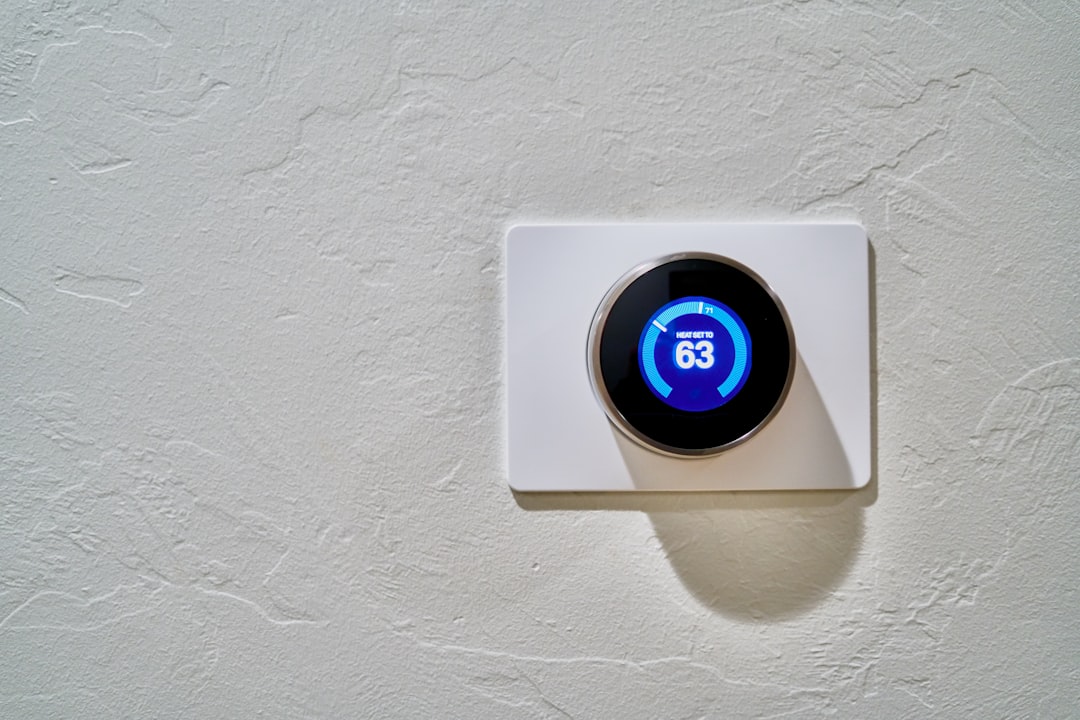
A thermostat that won’t respond, won’t hold settings, or a system that won’t turn on is almost always blamed on the thermostat itself — but the wiring behind it fails more often than the unit does. If you have a thermostat not working and suspect a wiring issue, you can check thermostat wiring yourself in under 15 minutes with no specialized skills. This article walks through exactly what to inspect, what faults look like, and what your findings mean.
Disclosure: This article contains affiliate links. If you purchase through these links, we may earn a small commission at no extra cost to you. As an Amazon Associate, we earn from qualifying purchases.
Why Thermostat Wiring Problems Are More Common Than You Think
Low-voltage thermostat wiring — typically 18–24 AWG (American Wire Gauge) running at 24 volts — is thin and fragile compared to standard household electrical wiring. It bends easily, corrodes quietly, and loosens over time without triggering any breaker or visible fault.
Common causes of failure include:
- Thermal cycling — Connections at push-in or screw terminals loosen gradually as the system expands and contracts with temperature
- DIY installs — Incorrect terminal assignments are routine when homeowners swap thermostats without verifying wire placement
- Physical damage — Pinched insulation, staples from renovation work, and rodent activity can all sever or degrade low-voltage cable
- Age — Older wire insulation becomes brittle and cracks, causing intermittent shorts
The reassuring part: most of these faults are visible, fixable, and don’t require an HVAC technician to resolve.
What You Need Before You Check Thermostat Wiring Yourself
Keep this simple. You do not need a professional toolkit.
- Non-contact voltage tester — The one genuinely critical tool. It lets you confirm whether 24V is reaching the thermostat without touching live wires. Look for a compact model with an audible alert and LED indicator. A basic non-contact voltage tester is sufficient for low-voltage thermostat work — no need for a professional-grade meter.
- Flathead and Phillips screwdriver — To remove the faceplate
- Phone or camera — To photograph the wiring before you touch anything
- Flashlight or headlamp — Thermostat backplates are often in dim hallways
- Pen and notepad — Backup to photography
Safety note: Thermostat wiring runs at 24V — not the 120V or 240V found at wall outlets or your HVAC disconnect. It will not deliver a dangerous shock. However, letting bare wire ends touch each other or the metal backplate can blow the system’s low-voltage fuse or damage the control board. Keep wires separated during inspection.
How to Check Thermostat Wiring Yourself at the Wall Unit
Work through these steps in order. Each step has an expected result so you know whether to continue or stop.
- Set the thermostat to OFF — Not just heating or cooling mode. Full system off.
- Remove the faceplate — Most snap off; some have a small screw at the base. Lift gently rather than pulling. Expected result: you see the wiring backplate and a bundle of thin wires entering from the wall.
- Photograph everything before touching anything — Capture the terminal labels and the wire color seated at each one. This is your reference if anything shifts during inspection.
- Check the wire entry point — Look where the cable exits the wall. Is the insulation cracked, sharply kinked, or compressed? Damage here causes intermittent contact even when the terminals look fine.
- Tug-test each wire gently — A properly seated wire should not pull free. The two most common faults are thermostat wires that are loose or on the wrong terminal. If a wire comes out with minimal force, that is a fault. Note which terminal it came from and set the wire aside without letting it touch other wires or the backplate.
- Inspect each wire end visually — Look for green, white, or black discoloration on the bare copper. Corroded wire ends do not make reliable contact even when physically seated in the terminal.
- Check how much bare copper is seated — The exposed copper end should be fully inside the terminal clamp. Only 1–2mm of bare wire means the connection is marginal. The standard is approximately 5–7mm of stripped copper inside the terminal.
Reading the HVAC Thermostat Wire Terminals — What Each Wire Should Be Doing
HVAC thermostat wire terminals follow a standardized labeling system across most residential systems. Wire color is a convention, not a rule — always verify by terminal label, not color alone.
| Terminal | Function | Typical Wire Color |
|---|---|---|
| R (Rh / Rc) | Power from HVAC transformer | Red |
| C | Common wire — completes the 24V circuit | Blue or black |
| W (W1) | Heat call | White |
| Y (Y1) | Cooling call — activates compressor | Yellow |
| G | Fan/blower control | Green |
| O/B | Heat pump reversing valve | Orange or dark blue |
If your system has both Rh and Rc terminals, Rh powers the heating side and Rc powers the cooling side. A jumper wire between them is common on single-transformer systems.
A wire on the wrong terminal does not always cause complete failure. It can cause only the fan to run, the wrong mode to activate, or heat and cooling to call simultaneously. If your system was recently worked on and behavior is erratic rather than completely dead, misassignment is a real possibility.
Common Thermostat Wiring Faults and What They Look Like
1. Loose or Disconnected Wire
What it looks like: Wire pulls free during the tug test, or is visibly not seated in its terminal.
What it causes: Complete loss of the function that wire controls. A loose W wire means no heat. A loose Y wire means no cooling. A loose R wire means the thermostat has no power at all.
Fix: Re-strip the wire end if the bare copper is too short (aim for 5–7mm). Then re-seat it firmly in the terminal.
2. Corroded Wire End
What it looks like: Green, white, or black discoloration on the copper. Sometimes a powdery residue inside the terminal.
What it causes: Intermittent or total loss of contact even though the wire appears connected. Corrosion is an insulator, not a conductor.
Fix: Clip the corroded section back to clean copper and re-strip. Do not wrap it in electrical tape — tape does not restore conductivity at the terminal.
3. Damaged Cable at the Wall Entry
What it looks like: Cracked or crushed insulation where the cable exits the wall. Occasional burn marks or discoloration on the outer jacket.
What it causes: Erratic thermostat behavior, a blown low-voltage fuse, or control board damage if the short is sustained.
Fix: If damage is accessible at the entry point, try pulling a small amount of extra cable slack through the wall. This can get you past the damaged section. If the damage is inside the wall, this is a technician-level repair.
4. Wire on the Wrong Terminal
What it looks like: A color that doesn’t match the standard convention for that terminal — for example, a yellow wire on the W terminal. Symptoms include fan running without heat or cooling, or no response at all.
Fix: Verify correct assignments against the terminal guide above. Photograph the current state, correct the assignment, and photograph again. Do not guess — certain combinations, such as bridging R directly to C, can damage the transformer or control board.
5. No Wire Length to Work With
What it looks like: Wire ends broken off flush with the terminal. No visible slack in the cable bundle.
What it causes: Inability to re-seat wires reliably. Connections that fail again quickly after repair.
Fix: If there is no slack and no length to strip, new thermostat wire needs to be pulled. This is a technician job.
What Not to Do During a Thermostat Wiring Diagnosis
- Do not use wire nuts at the backplate — There is no space for them, and every added connection point is a new potential failure
- Do not assume a wire is fine because it hasn’t moved — Corrosion and marginal contact develop without any physical disturbance
- Do not re-wrap damaged insulation with electrical tape and move on — Tape does not restore a damaged conductor and can mask a fault that will recur
When Your Wiring Checks Out But the System Still Won’t Run
All wires are seated, no corrosion, correct terminals — and the system still won’t respond. Work through these checks before calling a technician.
Check the low-voltage fuse on the control board. It is located inside the air handler or furnace. The control board typically has a small 3A or 5A automotive-style blade fuse. Hold it up to light. If the metal element is burned or broken, that is the problem. Replacement fuses cost under $5. A multi-pack of assorted automotive blade fuses covers the full range you will need and is worth keeping on hand.
Confirm 24V is reaching the thermostat. Use your non-contact voltage tester at the R terminal wire. No reading means the transformer or control board is the issue — not the thermostat wiring itself.
Check the thermostat batteries. Weak batteries cause erratic behavior that mimics wiring faults. Replace with fresh alkaline batteries before drawing any conclusions.
Confirm the HVAC breaker and disconnect switch are on. Both the air handler and the outdoor unit (on split systems) need power. Check both.
Once the system is running again, pay attention to any airflow-related symptoms that may surface — ductwork noise and pressure issues sometimes become noticeable after a period of HVAC downtime.
If all of the above are confirmed and the system still won’t respond, the fault is inside the HVAC unit — control board, transformer, or a component — and a technician call is the right next step. If wiring is confirmed good but the thermostat itself is old, unresponsive, or physically damaged, replacing the thermostat is a logical next step you can take before scheduling a service call.
Prevention: Keeping Thermostat Wiring Reliable
A few habits prevent most wiring faults from developing.
- Always photograph terminal assignments before disconnecting anything — This applies every time wiring is disturbed, not just during full replacements
- Don’t over-bend wires when reinstalling the faceplate — Give each wire enough slack to fold gently rather than creasing sharply
- Check for corrosion annually in humid locations — If the thermostat is near a bathroom, exterior wall, or unconditioned space, a quick visual check during your regular filter change takes 30 seconds and catches early corrosion before it causes a failure
- Verify C-wire connections carefully when adding a smart thermostat — The C-wire addition is one of the most common sources of new wiring faults in systems that were previously working. Confirm the wire is properly stripped and fully seated at both the thermostat and the air handler control board
Thermostat wiring diagnosis follows a short, repeatable sequence: photograph, tug-test, inspect visually, verify terminal assignments. Most faults — loose connections, corroded wire ends, misassigned terminals — are visible and fixable without tools beyond a screwdriver and a non-contact voltage tester. If you check thermostat wiring yourself and everything looks correct, the fault has moved upstream to the transformer, control board, or HVAC unit itself. That is when a technician call is warranted. Arriving at that call with a clear account of what you already inspected and ruled out will save time and help the technician get to the real problem faster.
FAQ
Can I check thermostat wiring without turning the system off first? Set the thermostat to OFF before removing the faceplate. The 24V wiring won’t shock you like a wall outlet, but live wires touching each other can blow the low-voltage fuse or damage the control board.
What does it mean if my thermostat has more wires than terminals? Extra wires are normal. Thermostat cables often have 8 conductors and only 5 are used. Unused wires are typically taped off or wrapped around the bundle — this is not a fault.
My thermostat only has two wires. Is that normal? Yes, for older heating-only systems. A two-wire setup powers the thermostat and the heat call only — no C-wire, no cooling control.
How do I know if the problem is the thermostat itself and not the wiring? If wiring checks out — all wires seated, no corrosion, correct terminals, 24V confirmed at the R terminal — and the thermostat still won’t respond, the thermostat unit itself is the likely suspect. Replacing the thermostat is a reasonable next step.
What does a blown low-voltage fuse look like? It’s a small plastic-body automotive blade fuse on the HVAC control board. Hold it up to light — the metal element inside will be visibly burned or broken. If the element is intact, the fuse is not the problem.