
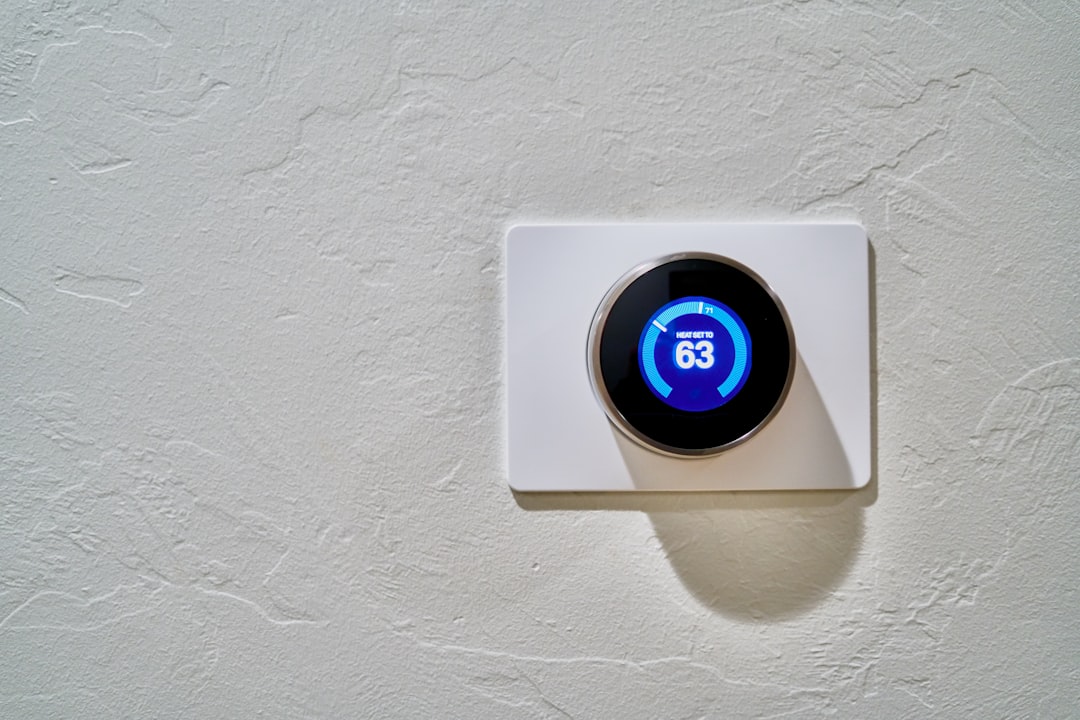
Your thermostat says 72°F but the room clearly feels like 78°F. Or the heat kicks off before the house ever gets comfortable. A thermostat reading wrong temperature is a real, diagnosable problem — not just a feeling — and it costs you money every time the system runs too long or shuts off too early. This article gives you a 15-minute test to confirm whether your thermostat is actually inaccurate, walks through the most likely causes in order, and shows you how to fix most of them without calling anyone.
Disclosure: This article contains affiliate links. If you purchase through these links, we may earn a small commission at no extra cost to you. As an Amazon Associate, we earn from qualifying purchases.
How to Tell If Your Thermostat Is Reading the Wrong Temperature
Before you start pulling covers off the wall, make sure you’re dealing with a thermostat accuracy problem and not something else.
Two things feel similar but need different fixes. The first is the thermostat reading an incorrect temperature. The second is the HVAC system not responding properly to an accurate reading. The diagnosis path is completely different for each.
Signs that point to a thermostat accuracy problem:
- The room feels noticeably warmer or cooler than the display shows
- The system shuts off too early or runs way longer than it should before reaching the set temperature
- The temperature reading barely changes even after the system has been running for 30+ minutes
- A separate thermometer in the same room shows a significantly different number
Signs that point to an HVAC system problem instead:
- The thermostat display looks fine but no air is coming out of the vents
- The system won’t turn on at all
- The air coming out is the wrong temperature (warm air from a cooling system, for example)
If the thermostat display matches other thermometers but the system still can’t reach setpoint, you’re dealing with an HVAC performance issue — not a thermostat reading problem. If the display number feels wrong, keep reading.
The Thermometer Test: Checking Thermostat Accuracy in 15 Minutes
Run this test before chasing causes. You need to confirm that the thermostat is actually inaccurate before doing anything else.
What you need: A standalone digital room thermometer. Dial-type thermometers can be off themselves, which makes them unreliable for this test. A basic digital indoor thermometer costs $10 to $20 and is worth keeping around permanently for this kind of check — not just a one-time tool.
Step-by-step procedure:
- Place the digital thermometer on or near the thermostat — within six inches if possible, at the same height on the wall, away from direct sunlight and supply vents
- Wait 15 minutes for the thermometer to stabilize at ambient room temperature
- Compare the reading to the thermostat display
- Do this while the HVAC system is at rest (not actively running) for the most stable comparison
What the result tells you:
- 1–2°F difference: That’s within normal tolerance. The thermostat is likely reading correctly, and the problem is probably HVAC performance rather than sensor accuracy.
- 3°F or more: You have a real thermostat reading wrong temperature problem. Move on to diagnosing the cause below.
Don’t skip this step. You’d be surprised how often the thermostat turns out to be accurate and the real issue is a clogged filter or undersized system.
Common Reasons Your Thermostat Is Reading the Wrong Temperature
Once you’ve confirmed the gap is 3°F or more, the next step is figuring out why. Here are the most common causes of a thermostat reading wrong temperature, in order of likelihood.
1. Poor Placement or Nearby Heat Sources
This is the most common cause of a thermostat inaccurate temperature reading. It’s easy to overlook because nothing has actually broken.
Thermostats placed near windows or in direct afternoon sunlight will pick up localized heat. The same goes for thermostats positioned next to lamps, appliances, or directly above a supply vent. The sensor reads that local temperature — not the room as a whole.
How to confirm: Does the reading track with sun exposure? Accurate in the morning but off in the afternoon? That’s your answer.
Fix: Short-term, block the influence — close a blind, move a lamp. Long-term, relocating the thermostat is the right move. That typically involves rewiring and may be worth having a professional handle if you’re not comfortable with low-voltage wiring.
2. Dust Buildup on the Internal Sensor
Older thermostats — and some early digital models — use a bimetallic coil or a thermistor that can get coated in dust over time. Dust acts as insulation and slows the sensor’s response to real temperature changes.
How to confirm: Remove the thermostat cover and look inside. A visible layer of dust on the components is your answer.
Fix: Use a soft brush or a short burst of compressed air to clean it out. A can of compressed air — the kind used to clean keyboards — works well here. Do not use liquids or spray cleaners near thermostat components.
3. Dead or Weak Batteries
Low batteries cause erratic readings in battery-powered thermostats before causing a full shutdown. An intermittent or slightly-off reading is often an early warning sign.
How to confirm: Check for a low battery indicator on the display. If there isn’t one, replace the batteries and retest.
Fix: Swap in fresh alkaline AA or AAA batteries. Avoid rechargeable batteries in thermostats — they run at a slightly lower voltage and can cause inconsistent behavior.
4. Thermostat Not Level (Older Mechanical Models Only)
Mercury-bulb thermostats use a small glass vial that must be precisely horizontal to read correctly. If the thermostat is even slightly tilted, the reading will be off.
How to confirm: Hold a small level against the thermostat housing.
Fix: Adjust the mounting until the thermostat sits perfectly level.
5. Sensor Damage or Failure
If you’ve ruled out placement, dust, and batteries, the thermistor or internal sensor may have degraded. This is more common in thermostats over 10 years old. There’s no visual confirmation — if everything else checks out and calibration doesn’t help, sensor failure is the most likely remaining cause. Replacement is usually the next step.
How to Recalibrate or Correct a Thermostat Reading
Many programmable and smart thermostats let you apply a temperature offset in the settings. This corrects a known, consistent inaccuracy in the displayed reading — it doesn’t fix the underlying cause.
When calibration is appropriate: The gap between your thermostat and the reference thermometer is consistent — always off by the same amount, regardless of time of day.
When calibration is not appropriate: The gap varies throughout the day. If the thermostat is accurate at 8 a.m. but 5°F off at 3 p.m., you have a placement or sensor problem to address first. Calibration won’t help.
General steps:
- Run the thermometer test at two or three different times of day to confirm the offset is consistent
- Access the calibration or offset setting in your thermostat’s menu — the location varies by model, so check the manual or the manufacturer’s support page
- Apply the correction in the appropriate direction (add or subtract degrees)
- Retest the following day to confirm the adjustment held
If your thermostat is an older manual model with no calibration function, and placement and cleaning haven’t solved the problem, replacement is the logical next step.
When a Thermostat Reading Wrong Temperature Means It Needs Replacing
Sometimes cleaning and calibrating aren’t enough. Here’s when to stop troubleshooting and move to replacement:
- Cleaning and calibration didn’t resolve the inaccuracy
- The reading is inconsistent — sometimes accurate, sometimes way off — with no clear cause
- The thermostat is more than 10–15 years old
- It’s a mercury-bulb model (outdated and worth replacing regardless)
- There’s visible physical damage to the housing or display
Replacing a thermostat is a manageable DIY task for most homeowners. If you’re ready to tackle it yourself, this guide on how to replace a basic thermostat without an electrician walks through the full process. If you’re not sure what to buy, start with choosing a replacement thermostat — the main thing to watch is wiring compatibility, especially if you have a heat pump, a two-stage system, or need a C-wire for a smart thermostat. If you’re unsure about your wiring setup, a quick call to an HVAC technician before you buy anything is worth it.
What to Check If the Temperature Still Seems Off After Fixing the Thermostat
You’ve tested, cleaned, calibrated, maybe replaced the thermostat — and the house still doesn’t feel right. At this point, the thermostat probably isn’t the problem.
A few things worth checking:
- Air filter: A clogged filter is one of the most common reasons an HVAC system can’t reach setpoint. If it hasn’t been changed in the last one to three months, start here.
- Supply and return vents: Make sure nothing is blocking airflow — furniture, rugs, and closed registers all reduce system efficiency.
- System sizing: A system that’s too small for the home will struggle to reach setpoint on very hot or cold days, even when everything else is working correctly.
- Low refrigerant: If the system is running but the air isn’t as cold as it should be, low refrigerant may be the cause. That requires a licensed HVAC technician to diagnose and fix.
If the thermostat tests accurate and the system is still falling short, you’re dealing with an HVAC performance problem. A technician visit is the right call at that point.
Keeping Your Thermostat Reading Accurately
A few simple habits prevent most of the problems covered above:
- Replace batteries once a year. The spring daylight saving time clock change is a convenient reminder — change the clocks, change the batteries.
- Dust the thermostat interior annually. Remove the cover, use a soft brush or a quick burst of compressed air, and replace the cover. Two minutes of work.
- Keep the area around the thermostat clear year-round. Move lamps away, keep blinds closed on sunny afternoons if the thermostat is on that wall, and make sure no supply vents are blowing directly at it.
- Think about placement when redecorating. Rearranging furniture or adding a floor lamp near the thermostat can introduce a problem that wasn’t there before.
- Choose the location deliberately if you’re replacing a thermostat. An interior wall, away from windows and vents, at roughly chest height — that’s the sweet spot.
Most thermostat accuracy problems are fixable in an afternoon. The thermometer test tells you whether you have a real problem, and working through the causes in order tells you what to do about it. If you’ve ruled everything out and the system is still struggling, that’s when it’s time to bring in a professional.
Frequently Asked Questions
How far off can a thermostat be before it’s a real problem? A difference of 1–2°F between your thermostat and a reference thermometer is within normal tolerance. A consistent gap of 3°F or more is worth investigating.
Can I fix a thermostat that’s reading wrong, or does it need to be replaced? It depends on the cause. Dust, weak batteries, and calibration offset are all fixable without replacement. Sensor failure usually means it’s time for a new thermostat.
Why does my thermostat seem accurate in the morning but wrong in the afternoon? This is almost always a placement issue. Afternoon sun exposure is a common cause — the thermostat picks up heat from a nearby window or wall that’s warmed through the day.
Does a smart thermostat read temperature more accurately than a basic one? Not necessarily. A smart thermostat installed in a poor location will read poorly. Placement matters more than the technology.
Should the thermostat and a separate thermometer ever match exactly? No. A 1–2°F difference is completely normal. An exact match would be coincidental rather than expected.
Can low refrigerant make the thermostat seem inaccurate? It won’t change the thermostat’s actual reading, but it will prevent the system from reaching setpoint — which can feel like the same problem. The thermostat may be working perfectly while the system struggles to deliver.