
Most homeowners replace a thermostat because the old one stopped working — not because they thought carefully about what to get next. That’s a missed opportunity. This manual vs. smart thermostat comparison covers all three real options — manual, programmable, and smart — and matches each one to a specific household situation.
This article evaluates all three against the same criteria: upfront cost, ease of use, compatibility requirements, energy savings potential, and daily effort required. By the end, you’ll have a direct, scenario-based recommendation you can act on.
Disclosure: This article contains affiliate links. If you purchase through these links, we may earn a small commission at no extra cost to you. As an Amazon Associate, we earn from qualifying purchases.
How Each Thermostat Type Works — and What That Means Day to Day
Manual Thermostats
A manual thermostat uses a dial or slider to hold a single set temperature. There’s no scheduling, no memory, and no automation. When you want the temperature to change, you change it yourself.
- Typical cost: $15–$30
- Setup: Minimal — basic wiring swap, no programming
- App or Wi-Fi required: No
This is the simplest device in the category. Its limitation matches its simplicity: it only does what you tell it to do, every time.
Programmable Thermostats
A programmable thermostat lets you set a temperature schedule in advance. You define the temperature you want at each time of day, and the thermostat runs that schedule automatically.
Common scheduling formats:
- 7-day: Different settings for each day of the week
- 5+2: One schedule for weekdays, another for weekends
- 5-1-1: Separate settings for weekdays, Saturday, and Sunday
A key concept here is setback — reducing the temperature when the house is empty or occupants are sleeping to cut energy use. Programmable thermostats automate setback without requiring you to remember.
- Typical cost: $25–$80
- Setup: Low to moderate — requires one-time programming
- App or Wi-Fi required: No
Smart Thermostats
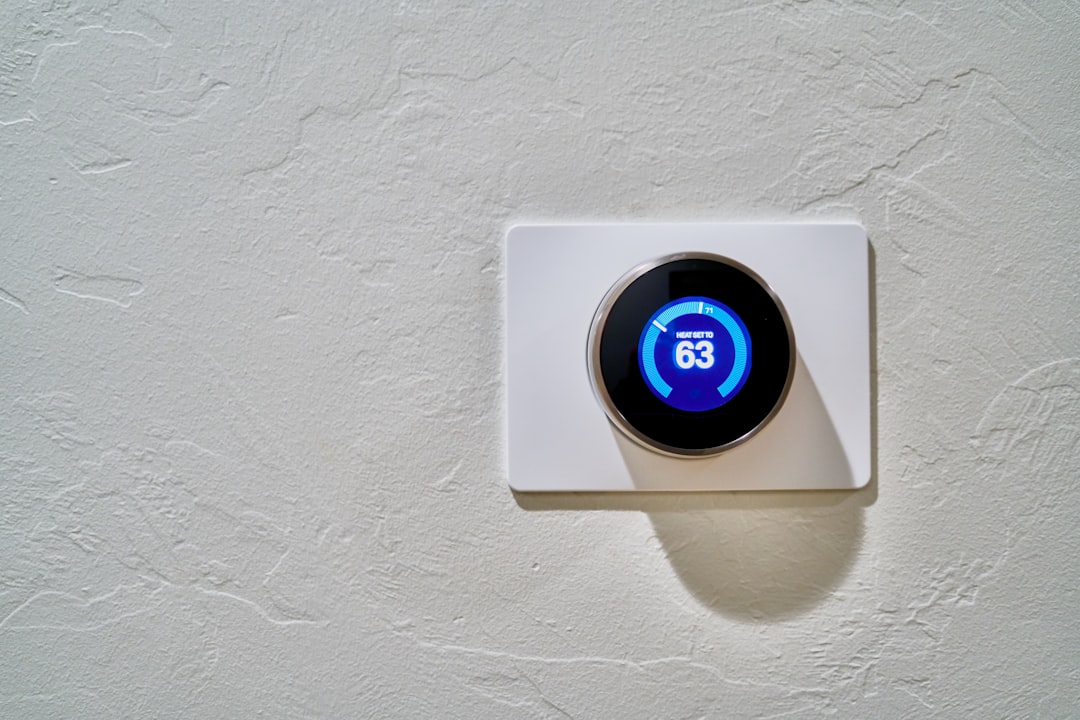
A smart thermostat connects to your home Wi-Fi and can be controlled from anywhere via a smartphone app. Advanced models — like Google Nest and Ecobee — can learn household patterns and build a schedule automatically. They also integrate with smart home platforms like Alexa or Google Home and generate energy usage reports.
Ecobee’s remote sensors are worth a specific mention. They detect occupancy and temperature in rooms beyond where the thermostat is mounted. This helps address uneven temperatures across the home.
- Typical cost: $150–$250+
- Setup: Moderate — requires Wi-Fi, compatible wiring, and app configuration
- C-wire (common wire): Usually required (more on this below)
- Utility rebates: Many providers offer $50–$100 rebates on qualifying models — worth checking before you buy
Thermostat Comparison Table
| Feature | Manual | Programmable | Smart |
|---|---|---|---|
| Price range | $15–$30 | $25–$80 | $150–$250+ |
| Scheduling | None | Fixed schedule | Adaptive + remote |
| App control | No | No | Yes |
| Learning capability | No | No | Some models |
| C-wire often needed | No | Sometimes | Usually |
| Setup complexity | Minimal | Low–moderate | Moderate |
| Energy savings potential | Low | Moderate | High |
Manual vs. Programmable Thermostat: When Simple Still Wins
Manual makes sense for vacation properties, seasonal cabins, rentals, or any space where temperature control is irregular. It’s also a reasonable choice when the HVAC system is old or unusual and compatibility is uncertain. And if someone in the household finds programming genuinely frustrating, manual removes that friction entirely.
The honest trade-off: a manual thermostat saves energy only if you consistently remember to adjust it. Most people don’t. Forgetting to turn the heat down before leaving for work a couple of times a week erases any savings.
Programmable wins when the household runs a consistent daily routine. A Monday–Friday work schedule — everyone out by 8am, home by 6pm — is the ideal use case. Set the schedule once and it runs on its own. No Wi-Fi. No app. No ongoing effort required.
The limitation of programmable thermostats is that they fail with irregular schedules. If you’re home at unpredictable hours, the fixed schedule either runs uselessly or gets ignored.
Programmable vs. Smart Thermostat: Is the Upgrade Worth the Cost?
The cost gap is real. Smart thermostats run 2–4x more upfront than a solid programmable unit. The question is whether your household will actually use the features that justify the premium.
Smart earns its cost in these situations:
- Variable schedules: The thermostat adapts instead of running a fixed schedule that no longer fits your day
- Frequent travel: Remote access lets you adjust from the road instead of heating or cooling an empty house
- Multi-room comfort issues: Ecobee’s remote sensors solve the common problem of the thermostat reading one room while another is too hot or cold
Learning thermostats like Nest watch your adjustments for one to two weeks. Then they build a schedule automatically. This works well for households that won’t sit down and manually program anything.
The honest case against upgrading: If your household runs a consistent schedule and you’ve already programmed your thermostat correctly, the savings gap narrows. Some estimates put smart thermostat savings at 10–12% versus 8–10% for a well-used programmable. That’s a real difference — but it may not justify $150+ in every situation.
One more thing worth noting: smart thermostat savings depend on actual absence periods. A household where someone is home most of the day won’t see the same return as one that’s empty for eight to ten hours daily.
Manual vs. Smart Thermostat Comparison: Which Type Saves the Most on Bills
The most important framing here: the thermostat that saves the most is the one you’ll actually use correctly. A smart thermostat left on permanent “hold” mode saves nothing over a manual. A programmable thermostat with an accurate schedule performs close to a smart thermostat — at a fraction of the cost.
When used correctly, the general savings hierarchy is: smart > programmable > manual.
According to the U.S. Department of Energy, setting back 7–10°F for 8 hours per day produces meaningful savings. Any thermostat type can achieve this — if used properly.
One climate-specific note: in very hot regions, letting a house overheat during the day can sometimes cost more to re-cool than holding a moderate temperature throughout. If you’re in a high-cooling-demand climate, don’t set the setback too aggressively during peak summer heat.
None of these savings matter if the thermostat isn’t compatible with your system — which leads to the next step.
Home Compatibility: What to Check Before You Buy Any Thermostat
This is the step most homeowners skip — and where the costly surprises happen.
Check Your System Type First
- Single-stage vs. multi-stage heating/cooling: Most thermostats handle single-stage. Multi-stage systems require confirmed compatibility.
- Heat pump systems: Require specific thermostat support for the O/B wire, which switches the reversing valve between heating and cooling mode. Confirm heat pump support before purchasing.
- Millivolt systems (older gas fireplaces, floor furnaces): Most programmable and smart thermostats are incompatible. Stick with a manual or verify specifically.
- Radiant heat with two-transformer systems: Not all thermostats support these setups — check carefully.
If your outdoor unit is already struggling — dirty coils, poor airflow, weak cooling — address that before swapping the thermostat. A clogged AC condenser coil can mimic thermostat-related cooling problems and should be ruled out first.
Similarly, if your AC is showing performance issues like warm air or ice on the lines, check for low refrigerant signs before assuming the thermostat is the problem.
The C-Wire Issue
The C-wire, or common wire, provides continuous low-voltage power to the thermostat. Most smart thermostats require it. Older homes often don’t have a C-wire connected at the thermostat.
If your home lacks a C-wire, you have options:
- Use a C-wire adapter kit (some thermostats include one; others sell it separately)
- Repurpose an unused wire in the existing thermostat cable
- Have an HVAC technician add one — typically a quick job
Manual and most programmable thermostats run on batteries. No C-wire needed.
How to Check Your Existing Wiring
Before removing your current thermostat, follow these steps:
- Turn off power to the HVAC system at the breaker
- Use a non-contact voltage tester to confirm power is off before touching any wires — a simple but important safety step
- Remove the thermostat faceplate
- Note which terminal labels have wires connected (R, G, Y, W, C, O/B, etc.)
- Photograph the wiring before disconnecting anything
- Cross-reference your wire configuration with the new thermostat’s compatibility checker — most major brands offer free online tools
The Straight Answer: Which Thermostat Is Right for Your Situation
Here’s the direct, scenario-based guidance from this manual vs. smart thermostat comparison.
Choose a manual thermostat if:
- The property is a vacation home, seasonal cabin, or rarely occupied space
- The HVAC system is old or unusual and compatibility is uncertain
- A household member finds technology frustrating and won’t engage with programming
Choose a programmable thermostat if:
- Your household runs a consistent weekly schedule (everyone out by 8am, home by 6pm, for example)
- You want real energy savings without app dependency or Wi-Fi requirements
- Your budget is under $80 and you’re willing to spend 10 minutes programming it once
Choose a smart thermostat if:
- Your schedule varies unpredictably week to week
- You travel or are away from home frequently
- You already use or want a connected smart home setup
- Uneven room temperatures are a complaint — Ecobee with remote sensors is worth considering here
- You want hands-off optimization without thinking about scheduling
On budget: If a smart thermostat is on your list, check your utility provider’s rebate program before purchasing. Many offer $50–$100 rebates on qualifying models. That closes the price gap with programmable options significantly.
Frequently Asked Questions
Can I install any of these thermostats myself? Manual and most programmable thermostats: yes, if you’re comfortable with basic wiring. Smart thermostats: usually yes, but C-wire issues can complicate the process. If uncertain, an HVAC technician can typically finish the installation in under an hour.
Do smart thermostats work with heat pumps? Yes, but confirm the specific model supports heat pump wiring, including the O/B wire. Use the manufacturer’s compatibility checker before purchasing.
How long does it take for a smart thermostat to pay for itself? Commonly cited as one to three years with regular use and real schedule variation. Utility rebates shorten the payback period.
What if my home has no C-wire? You have options: a C-wire adapter kit, repurposing an unused wire in your existing cable, or choosing a thermostat with battery backup capability. Confirm before purchasing.
Does a smart thermostat work if the internet goes down? Most maintain the last set schedule or hold temperature locally during outages. Remote access requires an active internet connection.